> For the complete documentation index, see [llms.txt](https://docs.sprinthub.com/llms.txt). Markdown versions of documentation pages are available by appending `.md` to page URLs; this page is available as [Markdown](https://docs.sprinthub.com/en/topics/relate/email/email-marketing-how-to-use-mail-tester-to-improve-your-email-score.md).
# Email Marketing - How to use Mail-Tester to improve your email score
The **Mail-Tester** is an online tool that analyzes the quality of your email sending and assigns a score from 0 to 10. This score indicates whether your message is likely to reach the inbox or end up in spam.
Next, see the step-by-step guide to use the tool and improve your sends through SprintHub.
***
### 1️⃣ Accessing Mail-Tester
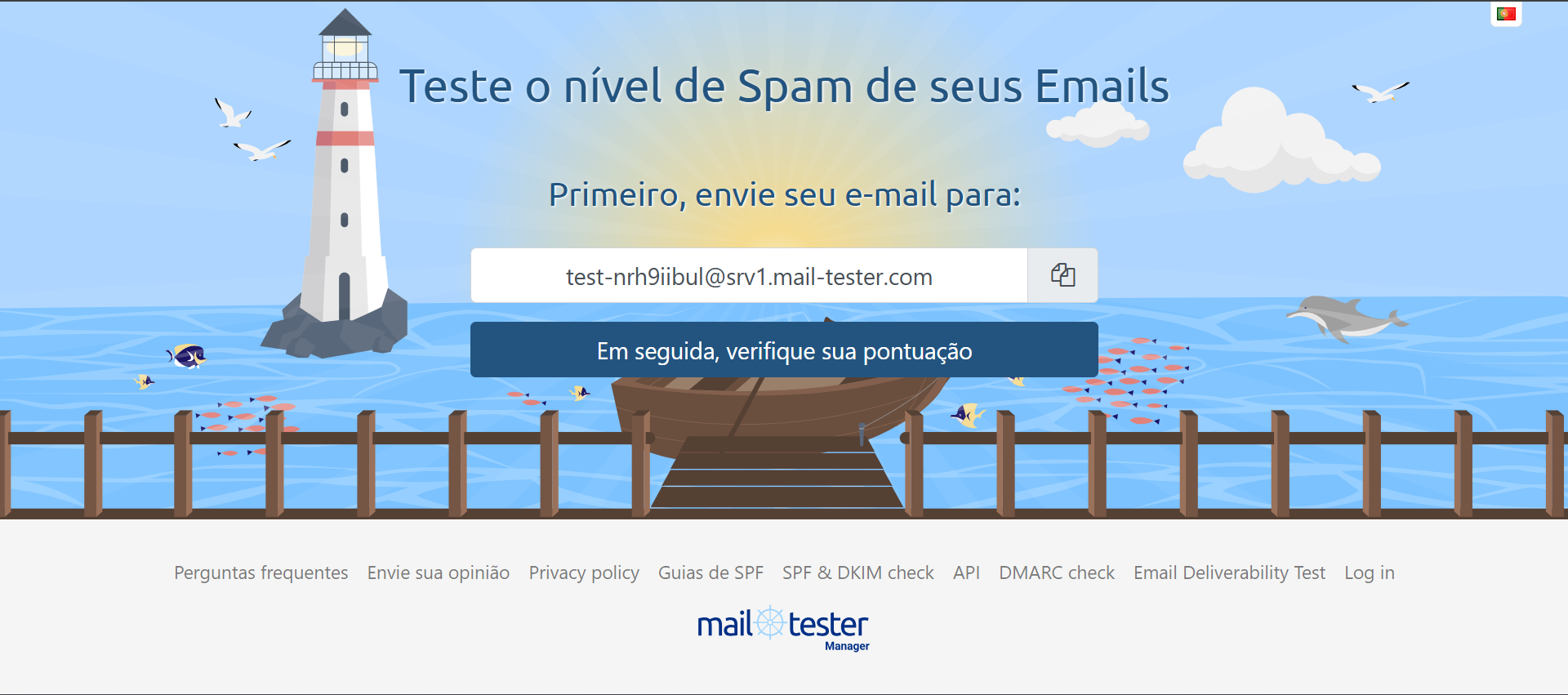
1. Go to the website:
{% embed url="" %}
1. The platform will automatically generate a temporary email address for testing.
***
### 2️⃣ Sending the test email through SprintHub
1. Access your SprintHub dashboard
2. Menu >> **Analyze** >> **Email** or type **Email** in the field **“Find service”** that the feature will appear for quick access.
3. Create a new test send
4. Copy the email generated by Mail-Tester
5. Paste as recipient
6. Send the message normally
{% embed url="" %}
***
### 3️⃣ Analyzing the result
After sending:
1. Return to the Mail-Tester website
2. Click on **“Then check your score”**
3. The tool will display:
* ✅ Final score (from 0 to 10)
* 🔎 SPF check
* 🔎 DKIM check
* 🔎 DMARC check
* 📄 Message content analysis
* 🚫 Blacklist check
***
### 4️⃣ What does each item mean?
#### 🔐 SPF (Sender Policy Framework)
Validates whether the server that sent the email is authorized by your domain.
If there is an error:
* Check your domain's DNS configuration
* Confirm that SPF includes the SprintHub server
***
#### 🔏 DKIM (DomainKeys Identified Mail)
Adds a digital signature to the email to validate authenticity.
If there is an error:
* Check whether the DKIM key was added correctly in DNS
* Confirm that it is active in SprintHub
***
#### 🛡️ DMARC
Defines protection policies against email spoofing.
If there is an error:
* Set up a DMARC record in DNS
* Use an initial policy such as: `p=none` for monitoring
***
#### ✉️ Message Content
Mail-Tester also analyzes:
* Excessive use of words like “FREE”, “PROMOTION”, “URGENT”
* Many shortened links
* Many images and little text
* Lack of a text version (plain text)
* Too clickbait-y subject
***
### 5️⃣ Best practices to improve your score
✅ Set up SPF, DKIM, and DMARC correctly\
✅ Use your own domain (avoid Gmail/Hotmail for sending)\
✅ Avoid link shorteners\
✅ Use natural language\
✅ Keep a balance between text and images\
✅ Always include an unsubscribe option\
✅ Send to cleaned lists
***
### 🎯 What score is considered ideal?
* 9 to 10 → Excellent
* 8 → Good
* 7 or less → Needs adjustments
Ideally, keep it always above 8 to ensure good deliverability.
***
### 🚀 Extra Tip
Whenever:
* Setting up a new domain
* Changing DNS
* Switching sending server
* Creating an important campaign
Run a test in Mail-Tester before sending to your entire list.
---
# Agent Instructions
This documentation is published with GitBook. GitBook is the documentation platform designed so that both humans and AI agents can read, navigate, and reason over technical content effectively. Learn more at gitbook.com.
## Querying This Documentation
If you need additional information that is not directly available in this page, you can query the documentation dynamically by asking a question.
Perform an HTTP GET request on the current page URL with the `ask` query parameter, and the optional `goal` query parameter:
```
GET https://docs.sprinthub.com/en/topics/relate/email/email-marketing-how-to-use-mail-tester-to-improve-your-email-score.md?ask=&goal=
```
`ask` is the immediate question: it should be specific, self-contained, and written in natural language.
`goal` is optional and describes the broader end goal you are ultimately trying to accomplish on behalf of the user. GitBook uses it to tailor the answer towards what is most useful for that goal.
The response will contain a direct answer to the question and relevant excerpts and sources from the documentation.
Use this mechanism when the answer is not explicitly present in the current page, you need clarification or additional context, or you want to retrieve related documentation sections.