> For the complete documentation index, see [llms.txt](https://docs.sprinthub.com/llms.txt). Markdown versions of documentation pages are available by appending `.md` to page URLs; this page is available as [Markdown](https://docs.sprinthub.com/en/topics/relate/message-templates-meta/message-template-instagram.md).
# Message Template - Instagram
#### SprintHub provides an efficient platform for creating and sending interactive messages on Instagram. This guide presents, in a straightforward way, the step-by-step process for creating a message template on the platform.
{% hint style="warning" %}
Interactive templates can only be used within the 24-hour window from the user's last interaction. After this period ends, sending this type of template will not be allowed.
{% endhint %}
### **Step 1: Access the Platform**
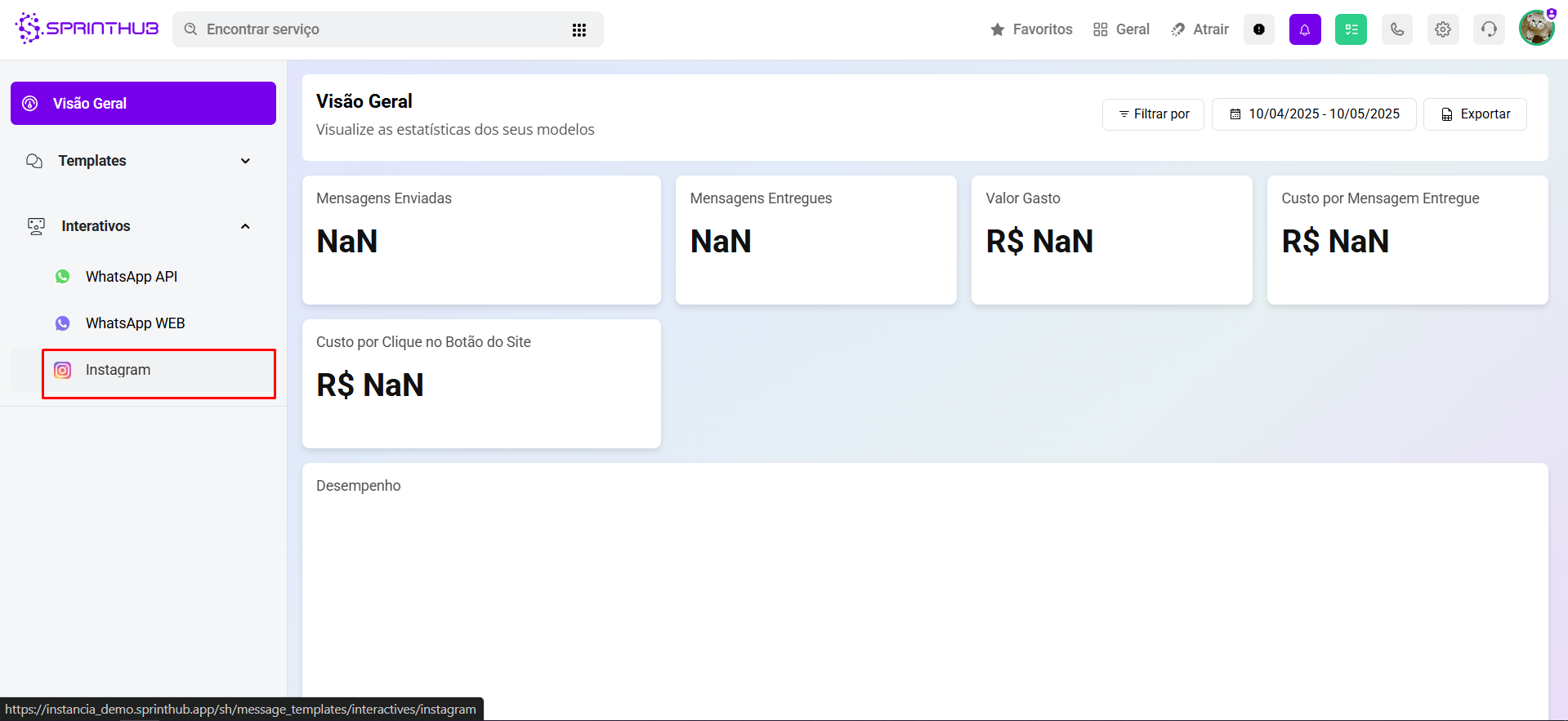
Log in to your SprintHub account, access **System Settings** and then click on **Message Templates (Meta)**. In the side menu, select the option **Interactive** and choose **Instagram**.
### Step 2: Creating a New Template
On the interactive screen of the **Instagram**, click the **+ New Template** button in the top right corner.
Choose the platform **Instagram** and click on **Next**.
### Step 3: Configuring the Template
{% embed url="" %}
**Template Name**\
Enter a name in the field **Template name**. This name is used only for internal identification on the platform and makes it easier to organize and manage the created templates.
**Message Body**\
In the **Body**, write the content of the message that will be sent to users. It is possible to customize the message using variables in the format `{{1}}`, `{{2}}`, etc., which will be replaced by specific information at the time of sending.
**Interactive Buttons**\
Add interactive buttons to make the message more dynamic and facilitate user interaction. The available options are:
* **Quick Reply**: allows the user to send a quick, predefined response with just one tap. Ideal for speeding up service or directing the conversation flow.
* **Go to Website**: enter a valid URL. When clicked, the user will be redirected to the provided link. This option is useful for directing users to product pages, forms, or other external actions.
**CONCLUSION:**\
Using interactive templates for Instagram in SprintHub makes it possible to optimize communication with your audience, offering personalized messages and interaction options that make the experience more agile and efficient. In addition to standardizing service, the templates make it easier to manage recurring content and expand the possibilities for direct engagement, such as quick replies and redirection to external links. By structuring your templates strategically, your company ensures agility, consistency, and better results in interactions via Instagram.
---
# Agent Instructions
This documentation is published with GitBook. GitBook is the documentation platform designed so that both humans and AI agents can read, navigate, and reason over technical content effectively. Learn more at gitbook.com.
## Querying This Documentation
If you need additional information that is not directly available in this page, you can query the documentation dynamically by asking a question.
Perform an HTTP GET request on the current page URL with the `ask` query parameter, and the optional `goal` query parameter:
```
GET https://docs.sprinthub.com/en/topics/relate/message-templates-meta/message-template-instagram.md?ask=&goal=
```
`ask` is the immediate question: it should be specific, self-contained, and written in natural language.
`goal` is optional and describes the broader end goal you are ultimately trying to accomplish on behalf of the user. GitBook uses it to tailor the answer towards what is most useful for that goal.
The response will contain a direct answer to the question and relevant excerpts and sources from the documentation.
Use this mechanism when the answer is not explicitly present in the current page, you need clarification or additional context, or you want to retrieve related documentation sections.