> For the complete documentation index, see [llms.txt](https://docs.sprinthub.com/llms.txt). Markdown versions of documentation pages are available by appending `.md` to page URLs; this page is available as [Markdown](https://docs.sprinthub.com/en/topics/convert/chatbot/chatbot-initial-settings/chatbot-block-modifications.md).
# Chatbot - Block Modifications
**1. Question**
This block allows you to ask your leads questions, waiting for responses that can trigger other automatic actions within the flow. It is ideal for collecting information or guiding the service based on the responses received. There is the possibility of using questions in the form of **Text** or with a **Template by Meta**.
Question sending block: You enter your custom text with tokens or created by the AI itself, the waiting time for the lead's response, and the expected type of response. If they do not respond within the correct time, they will be sent to the negative output, and if they respond, to the positive one.
Send question (Template): It works in a very similar way to the one shown above, with the difference that you can choose a template approved by Meta. Remember that it must have the correct template type to be sent (normally marketing if the window is not open).
{% hint style="info" %}
If you have any questions about Meta templates, see the article below explaining:
{% endhint %}
{% embed url="" %}
**2. Message**
Used to send messages without waiting for a direct response from the lead. It can be a simple notice, greeting, or any other informational communication. You can choose between the options of **Text**, **Multimedia**, **Template** or even use **AI Audio** to diversify the interaction.
Message block: Chatbot standard, works for all channels.
Send multimedia block: Used to send videos, audio, and images.
{% hint style="warning" %}
If the file is too large, it will be sent as a link to the customer. If you have any questions about this size limit, see the article below explaining:
{% endhint %}
{% embed url="" %}
Send template block: Sends a template approved by Meta.
AI audio send block: If you have ChatGPT connected or the ElevenLabs integration, you can use this block to send customized audio with more personality to your customers.
{% hint style="info" %}
If you want to learn more about both integrations, see the links below:
{% endhint %}
{% embed url="" %}
{% embed url="" %}
**3. Check Response/Variable**
This block is essential for evaluating the content of responses or variables stored in the question block. It allows different actions depending on the value obtained, which makes the flow more dynamic and intelligent, responding automatically based on the data collected.
**4. GPT Model**
One of the most innovative blocks in this version, it allows integration with a GPT model that automatically chats with the lead. This feature increases the ability to handle complex questions or carry out more human and personalized conversations with the user, respecting the established settings.
**5. Actions**
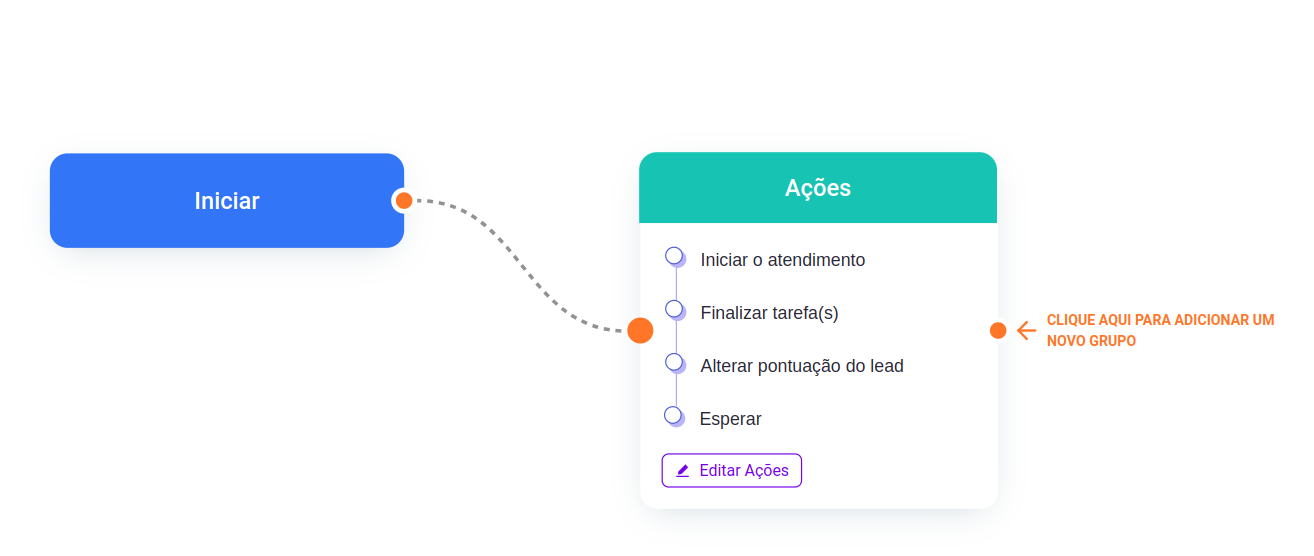
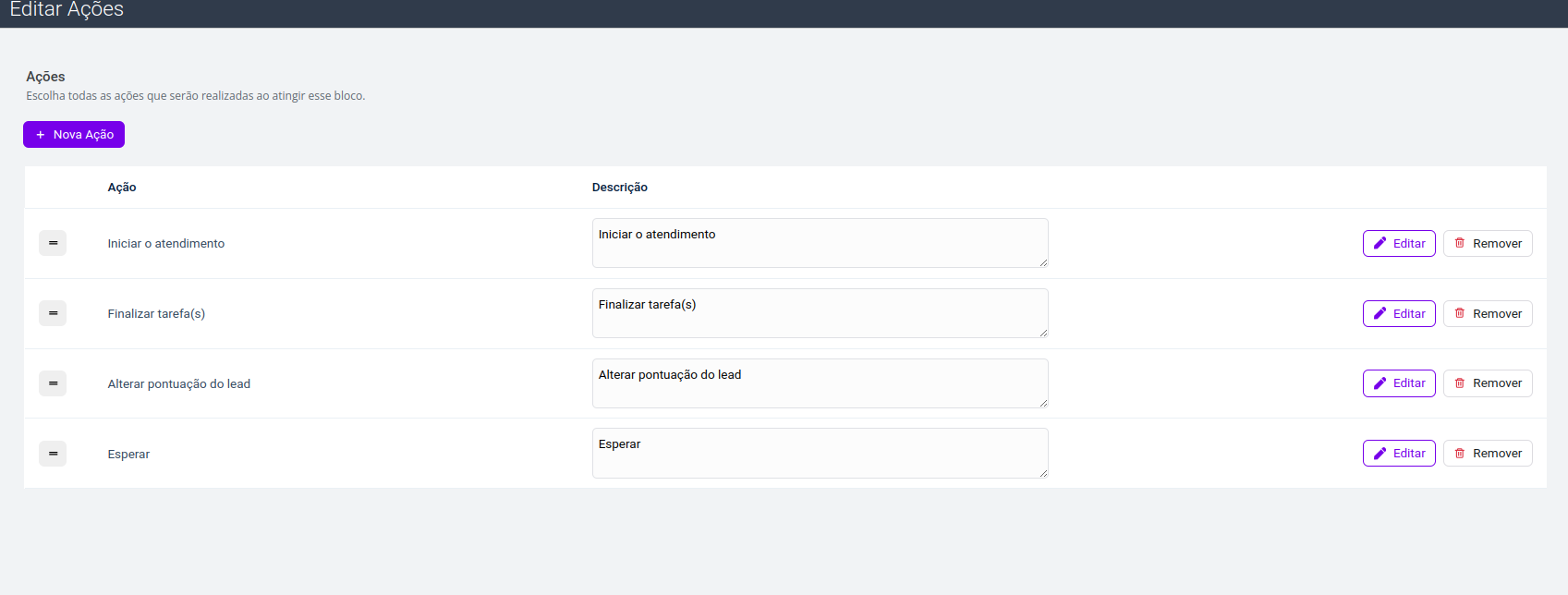
This block performs actions in the system after certain conditions are met, such as sending an email, a WhatsApp message, or updating lead information. It automates processes that would otherwise be manual and time-consuming.
**6. Conditions**
The conditions allow different actions to be performed based on specific lead information. This block makes it possible to create highly customized flows, ensuring that the service follows the most appropriate path according to the lead's data or interactions.
**7. Triggers**
This block allows the flow to wait for the lead to perform a certain action, such as opening an email or visiting a page. Triggers are essential for tracking lead behavior and, based on that, carrying out automated actions that follow their engagement.
**8. Switch**
A powerful feature that diverts the flow execution to different sequences of actions whenever it is triggered. It is an ideal tool for splitting the service flow based on specific lead behaviors or choices.
---
# Agent Instructions
This documentation is published with GitBook. GitBook is the documentation platform designed so that both humans and AI agents can read, navigate, and reason over technical content effectively. Learn more at gitbook.com.
## Querying This Documentation
If you need additional information that is not directly available in this page, you can query the documentation dynamically by asking a question.
Perform an HTTP GET request on the current page URL with the `ask` query parameter, and the optional `goal` query parameter:
```
GET https://docs.sprinthub.com/en/topics/convert/chatbot/chatbot-initial-settings/chatbot-block-modifications.md?ask=&goal=
```
`ask` is the immediate question: it should be specific, self-contained, and written in natural language.
`goal` is optional and describes the broader end goal you are ultimately trying to accomplish on behalf of the user. GitBook uses it to tailor the answer towards what is most useful for that goal.
The response will contain a direct answer to the question and relevant excerpts and sources from the documentation.
Use this mechanism when the answer is not explicitly present in the current page, you need clarification or additional context, or you want to retrieve related documentation sections.