> For the complete documentation index, see [llms.txt](https://docs.sprinthub.com/llms.txt). Markdown versions of documentation pages are available by appending `.md` to page URLs; this page is available as [Markdown](https://docs.sprinthub.com/topicos/inteligencia-artificial/agentes-de-ia/agentes-de-i.a-legado-aviso/modelos-chatgpt/modelos-chatgpt-formato-das-planilhas-de-pergunta-e-resposta.md).
# Modelos ChatGPT - Formato das planilhas de pergunta e resposta
Os formatos atualmente aceitos para a importação de perguntas e respostas são CSV e XLSX, que podem ser gerados com softwares de edição de planilhas, como o Excel.
## Formato da planilha
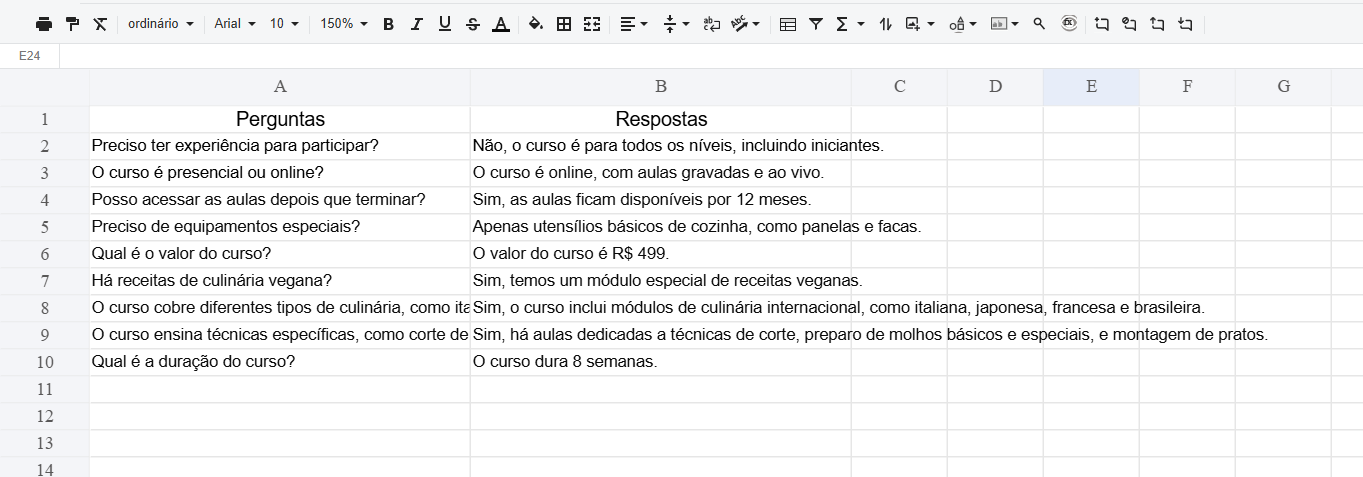
A planilha deve conter duas colunas: uma para as perguntas e outra para as respectivas respostas. Os pares de pergunta e resposta devem ser inseridos a partir da segunda linha, já que a primeira linha será ignorada.
Exemplo de planilha.
### Realizando importação
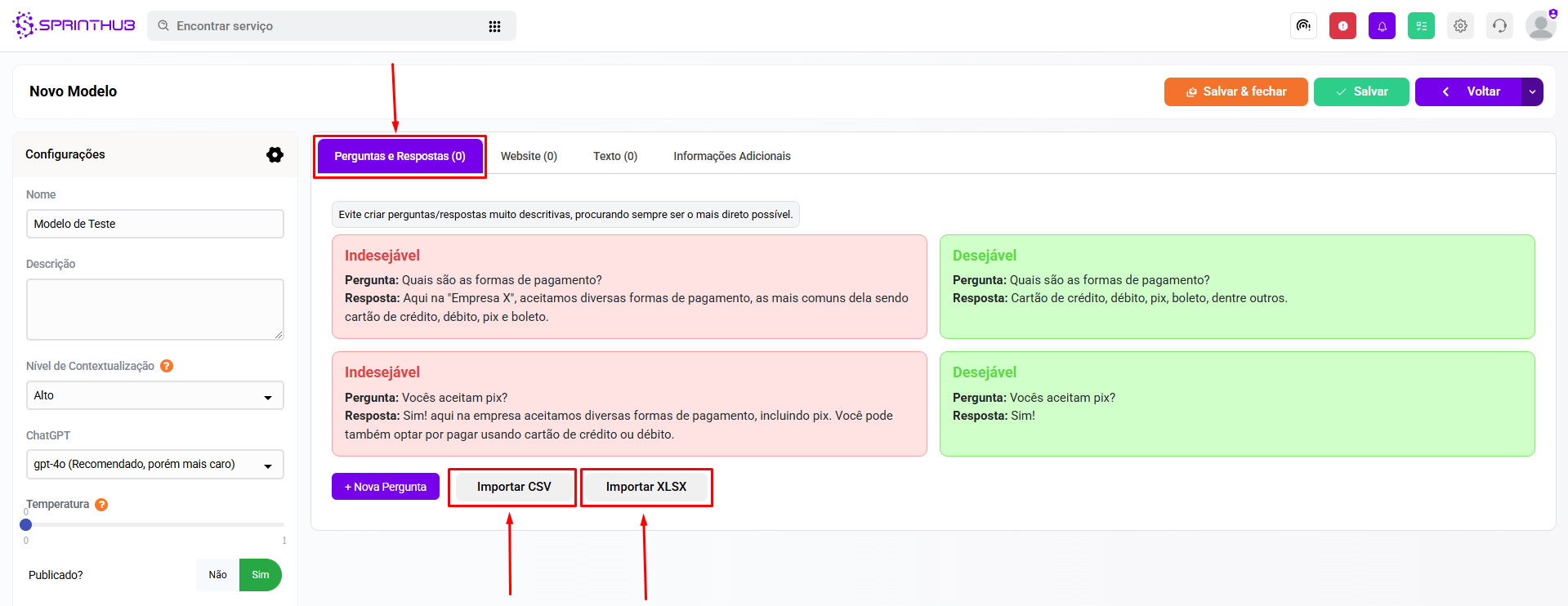
Após ajustar o formato da sua planilha, clique no botão "Importar CSV" se o arquivo for CSV, ou "Importar XLSX" se for XLSX.