> For the complete documentation index, see [llms.txt](https://docs.sprinthub.com/llms.txt). Markdown versions of documentation pages are available by appending `.md` to page URLs; this page is available as [Markdown](https://docs.sprinthub.com/en/topics/system-settings/external-forms/meta-forms/meta-ads-form-error-sending-leads-through-the-facebook-form.md).
# Meta Ads Form - Error sending leads through the Facebook form
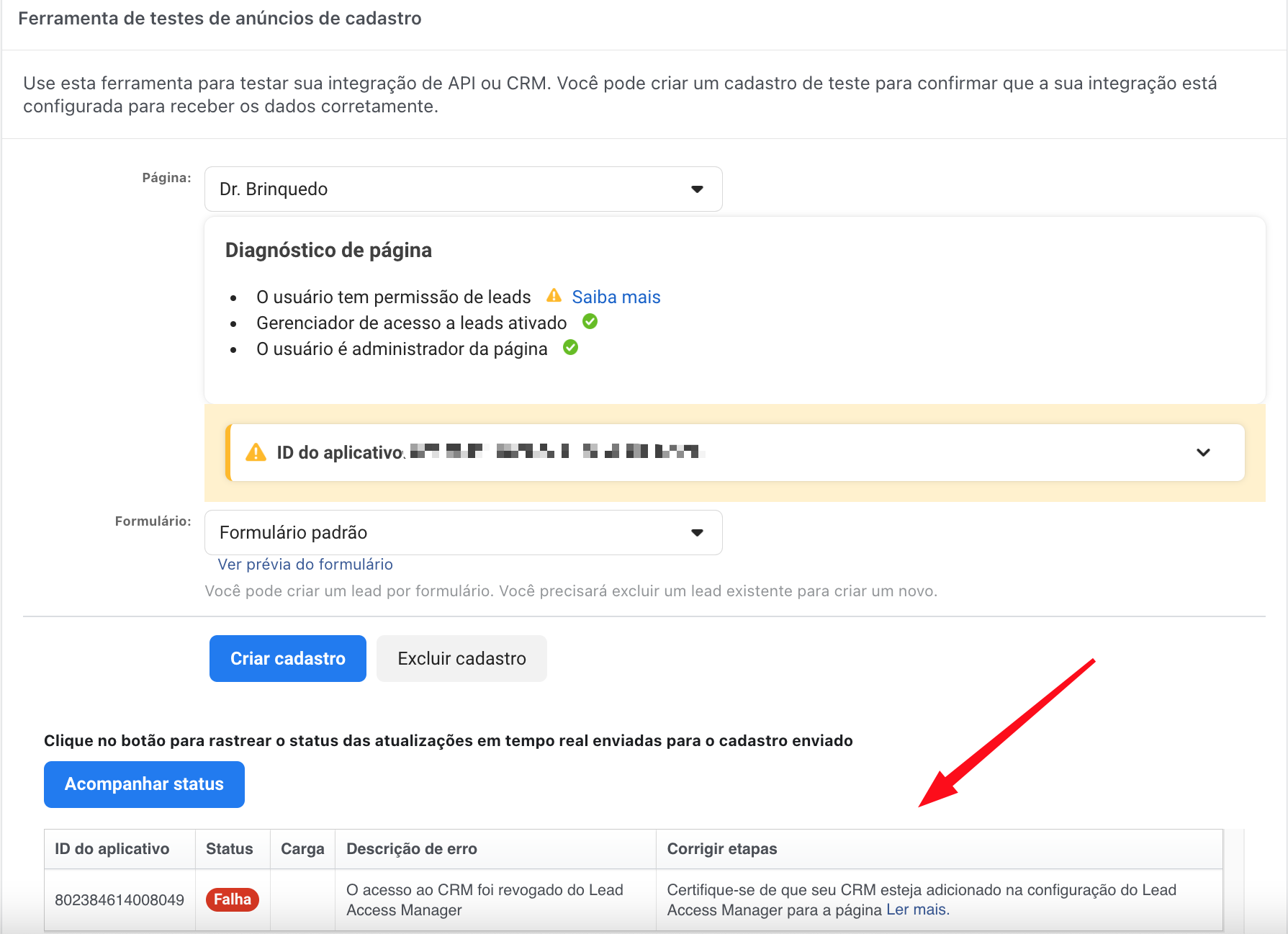
**If you encounter the ****error**** below during testing in Meta (**[**Click here to test**](https://developers.facebook.com/tools/lead-ads-testing)**), follow these step-by-step instructions to integrate your Facebook forms with Sprinthub.**
* In this **example**, we show that the **permissions** for accessing Facebook leads are configured for your CRM. Make sure that Sprinthub's CRM settings are properly aligned with your Facebook settings to ensure your form works. This step is essential for a smooth integration and for optimizing efficiency in capturing leads on Facebook.
{% hint style="info" %}
**Follow these step-by-step instructions to ensure your Facebook-integrated forms work**
{% endhint %}
### To assign lead access permissions to CRM systems:
If you use a custom CRM, after receiving the real-time update about the new lead, the CRM will use a user access token (UAT) or a page access token (PAT) to collect the lead data from Facebook. If the people who will monitor the UAT or PAT do not have lead access permission, this will not work. To avoid problems, the people who will monitor the UAT or PAT must appear in the People section of the Leads Access Manager.
The CRM lead access permission controls whether Facebook can send a notification about a new lead to that CRM. The CRM system [needs to be connected to Facebook](https://www.facebook.com/business/help/1588743581429919) before appearing in this list. If you assign lead access to a CRM, that system will receive lead updates sent by Facebook. The Page admin who granted the permissions must continue to have access permission. Otherwise, the CRM will not collect the data.
Go to the [Meta Business Suite](https://business.facebook.com/).
Click the drop-down menu in the upper-left corner and choose your business account, then click Settings in the lower-left corner.
In the left menu, click Integrations and then Lead access.
Click Assign CRMs. You will see a list of CRM systems that have been integrated with your Facebook Page.
Select the circle next to the CRM systems you want to assign access to and click Assign. The CRM systems you selected will now have access to your lead information.