> For the complete documentation index, see [llms.txt](https://docs.sprinthub.com/llms.txt). Markdown versions of documentation pages are available by appending `.md` to page URLs; this page is available as [Markdown](https://docs.sprinthub.com/en/topics/system-settings/account-settings/whatsapp-api/how-to-change-the-profile-photo-in-whatsapp-api.md).
# How to change the profile photo in WhatsApp API
In this tutorial, we’ll show you how to change your profile photo for your WhatsApp Business API number.
First, you need to log in to your Meta Business account.
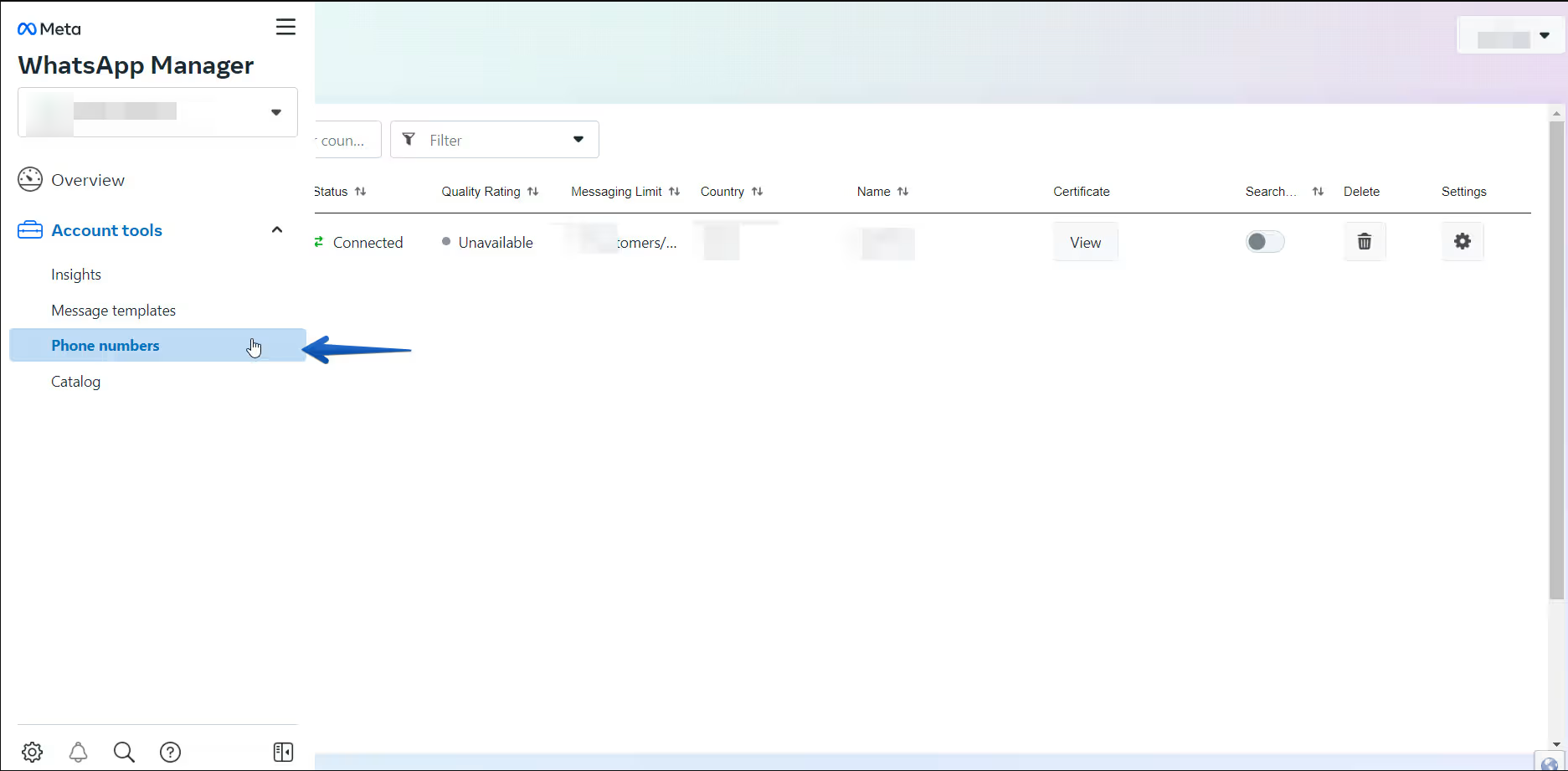
Go to your WhatsApp manager -> Account Tools -> Phone Numbers:
Or simply access this [DIRECT LINK](https://business.facebook.com/wa/manage/phone-numbers/)
Now just locate your phone number and click the settings button:
You’re almost done! Now you just need to go to "Profile" and upload your file there. Check out the other options; you can also add important information about your business: