> For the complete documentation index, see [llms.txt](https://docs.sprinthub.com/llms.txt). Markdown versions of documentation pages are available by appending `.md` to page URLs; this page is available as [Markdown](https://docs.sprinthub.com/en/topics/system-settings/account-settings/meta-accounts/enable-messages-on-instagram.md).
# Enable Messages on Instagram
Imagine a situation where you have already integrated your professional Instagram account with SprintHub, configured the SAC 360 message filter to view Instagram messages, but still cannot receive the messages. Your Instagram inbox is likely configured to limit message reception.
**Follow this step-by-step guide to enable messages in your Instagram direct messages:**
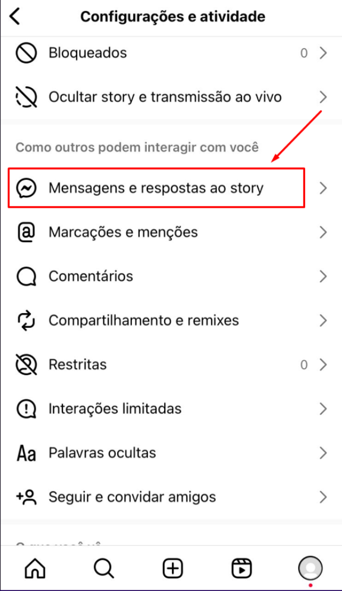
1 - Access Instagram settings through the 3-line menu in the upper left side, and go to “Messages and Story Replies”
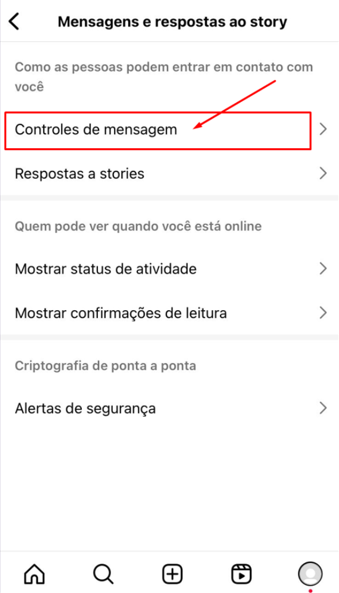
2 - Click on “Message Controls”
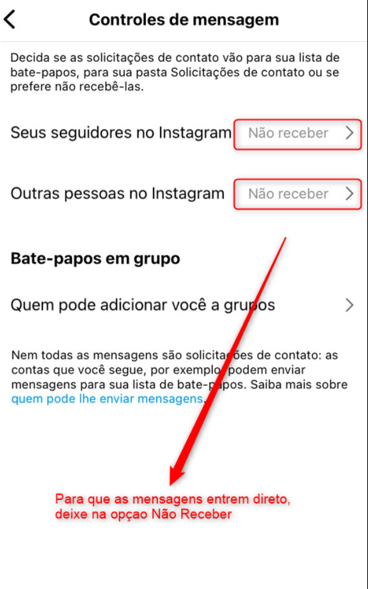
3 - So that messages go straight to Direct, keep the option “Don't Receive” so that messages do NOT land in Instagram's hidden message requests inbox.
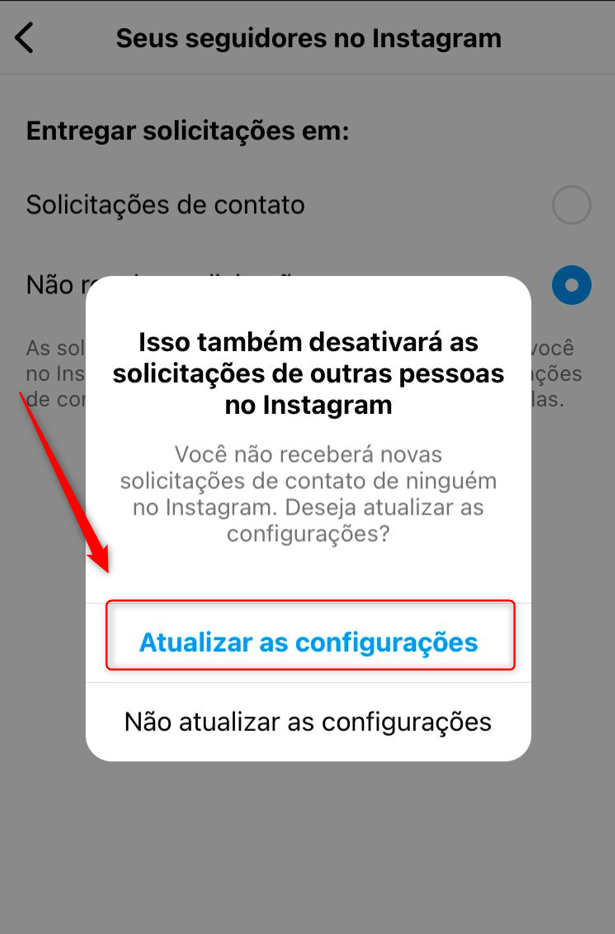
4 - Click Update Settings to save
***
#### **Enabling in Meta Integration Settings**
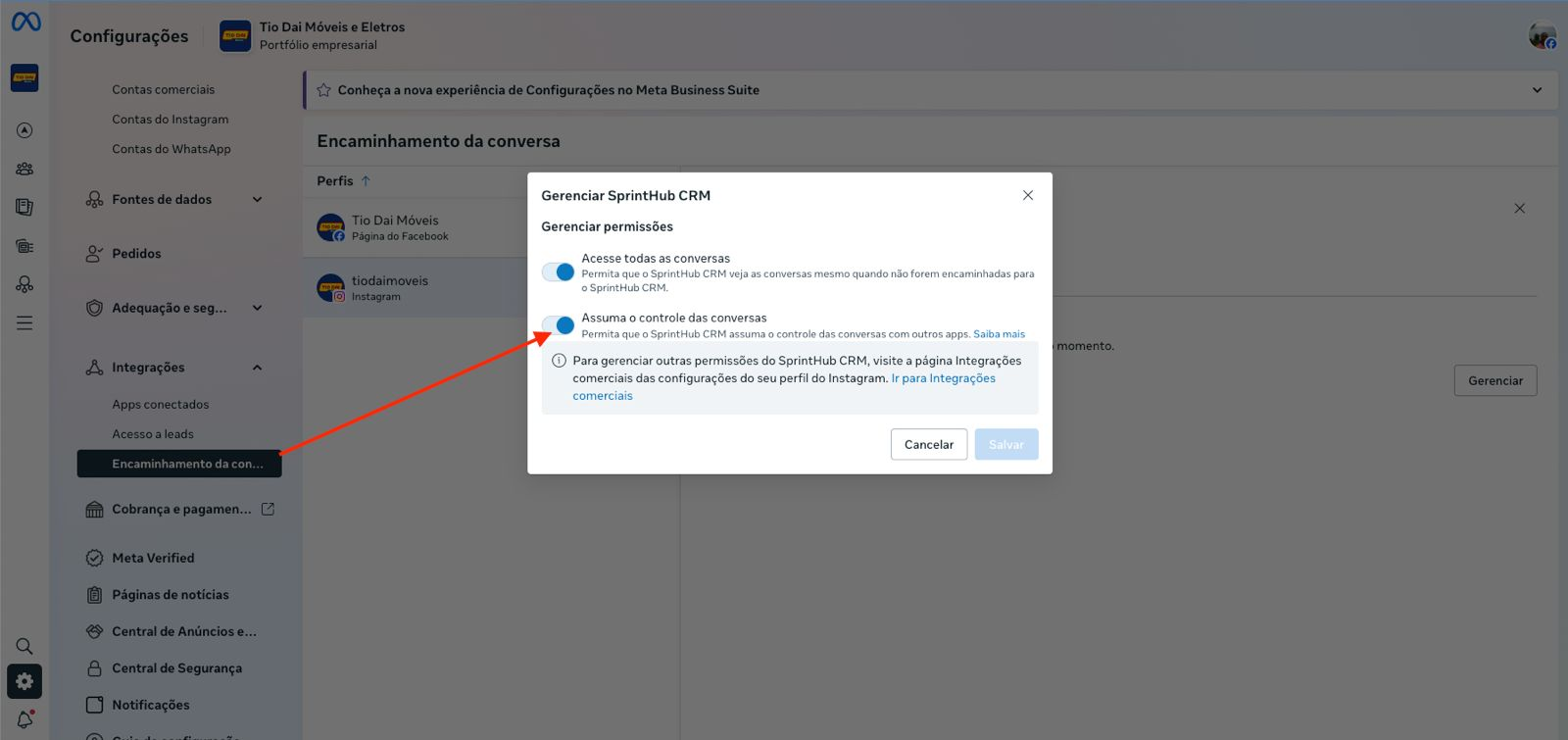
For SprintHub to work correctly and perform all necessary actions within your Meta account, **it is mandatory to grant all access and management permissions** during integration.
This ensures that:
* Messages are sent and received without failures
* The system can synchronize conversations and page information
* Automations and features work correctly
* SprintHub has secure access to the necessary Meta APIs
Always check, when connecting the account, whether **all permissions are marked as “Allow”**