> For the complete documentation index, see [llms.txt](https://docs.sprinthub.com/llms.txt). Markdown versions of documentation pages are available by appending `.md` to page URLs; this page is available as [Markdown](https://docs.sprinthub.com/en/topics/general/voip/common-errors-in-voip-calls-in-sprinthub-causes-and-solutions.md).
# Common Errors in VoIP Calls in SprintHub: Causes and Solutions
When using the feature of **VoIP calls** in SprintHub, some error messages may appear during the dialing process. These messages are provided by the VoIP carrier connected to the platform and serve to indicate failures in the attempt to complete the call. See below the main errors and how to resolve them:
***
### ⚠️ **1. “The number was not found to complete the call”**
#### **What does it mean?**
This error occurs when the dialed phone number **was not located by the carrier**, that is, the call could not be routed because:
* The number was entered incorrectly.
* There is a missing digit (area code, prefix, or ending).
* The number no longer exists.
#### ✅ **How to fix it?**
* Check whether the number is complete and has all digits.
* Confirm whether the area code is correct.
* Avoid copying numbers with spaces or special characters.
* Try calling another number to test your VoIP connection.
***
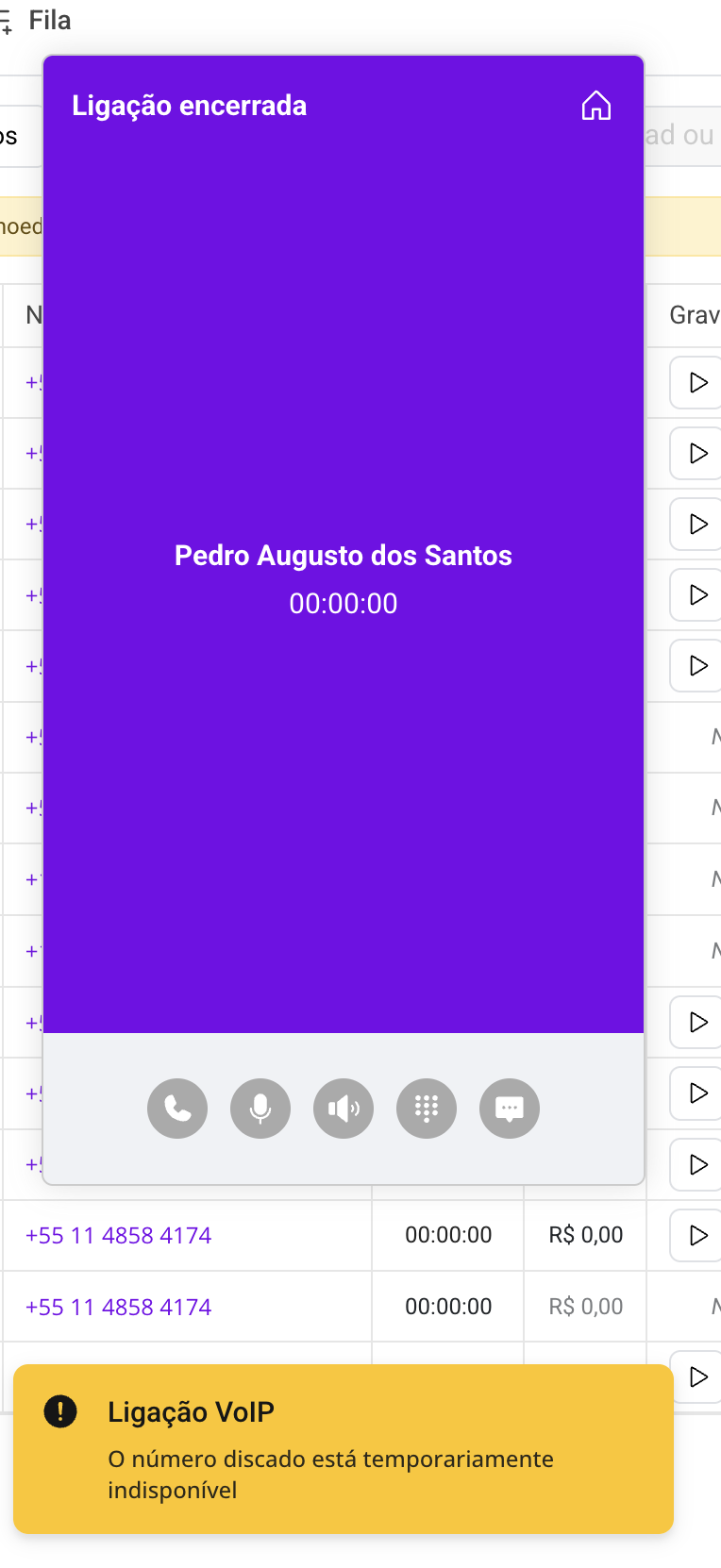
### ⚠️ **2. “The dialed number is temporarily unavailable”**
#### **What does it mean?**
This message indicates that the called number **could not be completed at that moment**, because:
* Is on an active call (busy).
* Is turned off or out of coverage area.
* Is temporarily inactive.
#### ✅ **How to fix it?**
* Wait a few minutes and try again.
* Try an alternative contact method (WhatsApp, email).
* If the number belongs to a lead or recurring customer, notify your sales team.
***
### ⚠️3 - "Unable to make the call"
The red "Unable to make the call" alert in VoIP may indicate a series of problems, failures, and incorrect settings; follow the next steps to find where the problem is:
1. Insufficient balance in the account. Open your VoxImplant dashboard or other service and check whether you have enough to complete calls. If the balance is low, purchase credits;
2. Queue configuration. If possible, check the users and the queue flow, make adjustments; if the issue persists, reset and try reconfiguring the queue;
3. Audio device issue: Before starting the call, check the audio devices such as the microphone or speakers;
4. Check whether the contracted VoIP service has a stable connection; if the problems above persist, reload the browser tab, wait a moment, and make the call again;
***
### Technical Support
If the error persists even after reviewing the numbers, contact our support team to check:
* The connection to your SIP provider.
* The status of the VoIP credit.
* Whether the number is active for calls on the carrier's network.
***
SprintHub continues to evolve to ensure a smooth, secure calling experience connected to your sales process.
---
# Agent Instructions
This documentation is published with GitBook. GitBook is the documentation platform designed so that both humans and AI agents can read, navigate, and reason over technical content effectively. Learn more at gitbook.com.
## Querying This Documentation
If you need additional information that is not directly available in this page, you can query the documentation dynamically by asking a question.
Perform an HTTP GET request on the current page URL with the `ask` query parameter, and the optional `goal` query parameter:
```
GET https://docs.sprinthub.com/en/topics/general/voip/common-errors-in-voip-calls-in-sprinthub-causes-and-solutions.md?ask=&goal=
```
`ask` is the immediate question: it should be specific, self-contained, and written in natural language.
`goal` is optional and describes the broader end goal you are ultimately trying to accomplish on behalf of the user. GitBook uses it to tailor the answer towards what is most useful for that goal.
The response will contain a direct answer to the question and relevant excerpts and sources from the documentation.
Use this mechanism when the answer is not explicitly present in the current page, you need clarification or additional context, or you want to retrieve related documentation sections.