> For the complete documentation index, see [llms.txt](https://docs.sprinthub.com/llms.txt). Markdown versions of documentation pages are available by appending `.md` to page URLs; this page is available as [Markdown](https://docs.sprinthub.com/en/topics/general/crm/crm-automations/crm-automations-in-crm-with-the-condition-did-the-lead-send-a-message.md).

# CRM - Automations in CRM with the condition "Did the lead send a message?"

<figure><img src="https://684109703-files.gitbook.io/~/files/v0/b/gitbook-x-prod.appspot.com/o/spaces%2F9FzUKkagBNy5uQ7AtGNa%2Fuploads%2FBlOpBvMKpzzRWcb9Rpr7%2Fcomposicao-isometrica-com-chatbot-no-laptop-pessoas-sorrisos-felizes_1284-63053.png?alt=media&amp;token=57bf4b85-fd51-44fa-8d83-fcfae9c7110d" alt=""><figcaption></figcaption></figure>

Lead engagement is the heart of successful marketing and sales strategies. When a lead engages with your company, they show interest and open doors to conversion opportunities.

Go to the **CRM**, and click on **Automations**;

<figure><img src="https://684109703-files.gitbook.io/~/files/v0/b/gitbook-x-prod.appspot.com/o/spaces%2F9FzUKkagBNy5uQ7AtGNa%2Fuploads%2FOIfwc72dGzjOrZPUFBiR%2Fimage.png?alt=media&amp;token=333e7681-ba21-4eb5-bfa5-4cc52e2bd6a2" alt=""><figcaption></figcaption></figure>

Define the **title** and the **condition**, which, in this case, will be '*Did the lead send a message?*'.

<figure><img src="https://684109703-files.gitbook.io/~/files/v0/b/gitbook-x-prod.appspot.com/o/spaces%2F9FzUKkagBNy5uQ7AtGNa%2Fuploads%2Fo6oGi03s9Mw1rnpd0Hyy%2Fimage.png?alt=media&amp;token=eee153c5-5143-47d3-960b-4fb8340032bc" alt=""><figcaption></figcaption></figure>

Define the **settings**;&#x20;

<figure><img src="https://684109703-files.gitbook.io/~/files/v0/b/gitbook-x-prod.appspot.com/o/spaces%2F9FzUKkagBNy5uQ7AtGNa%2Fuploads%2FJMwyT7HgkA2YMaQO7AEf%2Fimage.png?alt=media&amp;token=eba9f747-8166-40d4-9f12-3b1f70812df7" alt=""><figcaption></figcaption></figure>

Configure the **condition** that must be met for the **automation to be triggered**.&#x20;

Determine what you want the CRM to do when the condition is met.

In the example, we will use '**Start a ChatBot**'. When detecting that a lead has sent a message, your ChatBot can respond promptly, improving the customer experience.

*But you can define other conditions, such as:*

'**Send Message Template**': When a lead sends a message, you will send predefined message templates to ensure communications are consistent, professional, and effective.

Select the **ChatBot** that should be started when the lead sends the message and click on **Save**;&#x20;

<figure><img src="https://684109703-files.gitbook.io/~/files/v0/b/gitbook-x-prod.appspot.com/o/spaces%2F9FzUKkagBNy5uQ7AtGNa%2Fuploads%2F9E9MHZJUS7FZzb0MSH8J%2Fimage.png?alt=media&amp;token=afa84a70-f094-49b3-a4d1-6104c322937a" alt=""><figcaption></figcaption></figure>

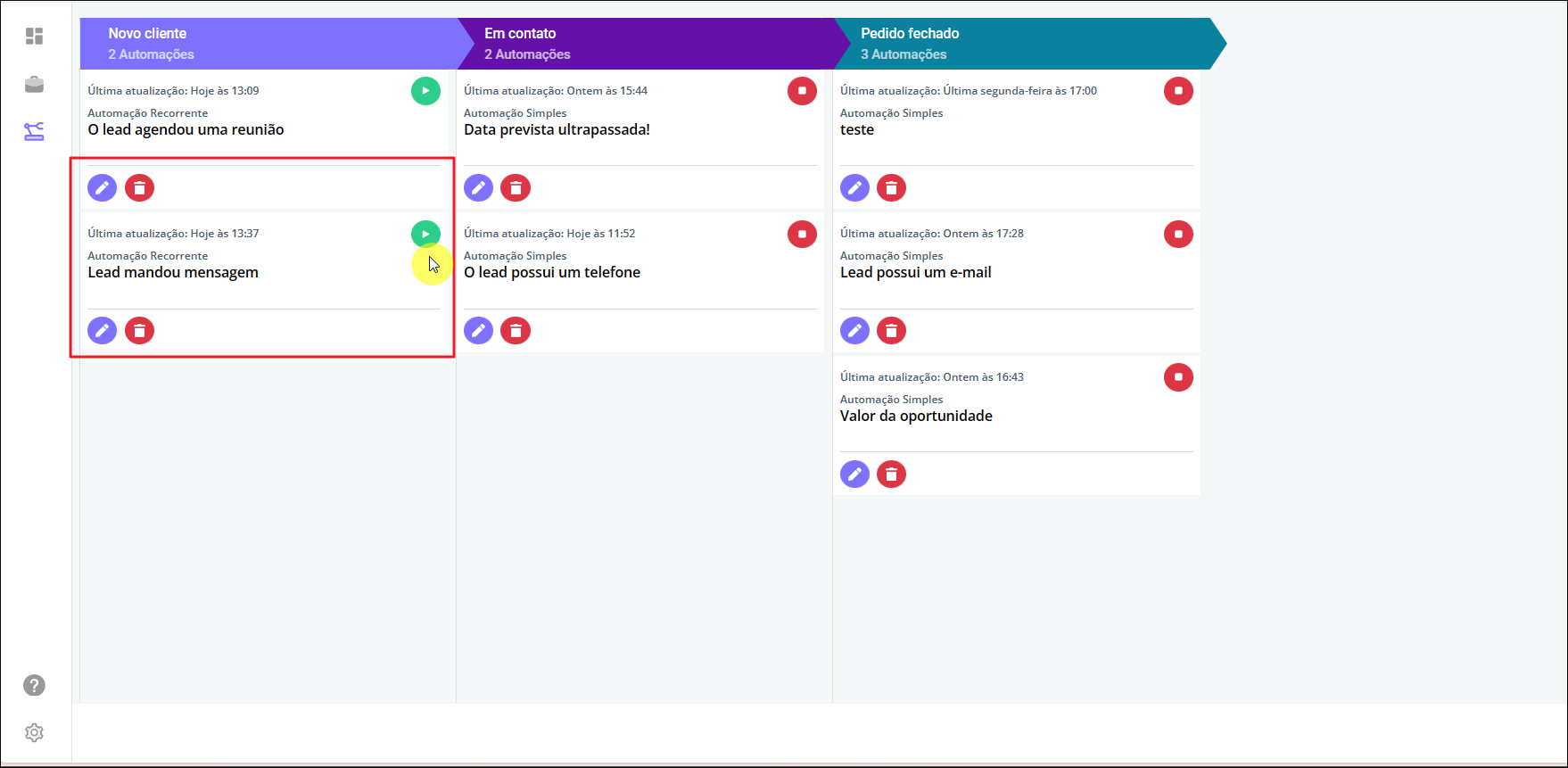
After saving your automation, click on the '<mark style="color:green;">**Play**</mark>' icon to activate it.&#x20;

<figure><img src="https://684109703-files.gitbook.io/~/files/v0/b/gitbook-x-prod.appspot.com/o/spaces%2F9FzUKkagBNy5uQ7AtGNa%2Fuploads%2FTPFN1G23fzCpTuiRkI72%2Fimage.png?alt=media&amp;token=73be42d3-ffe0-481d-ba65-6ba2ee7111cf" alt=""><figcaption></figcaption></figure>

<mark style="color:purple;">**See similar articles:**</mark>

{% content-ref url="/pages/4a1c7e56fdf5b057a091070b52862d8b0cbe813f" %}
[CRM](/en/topics/general/crm.md)
{% endcontent-ref %}