> For the complete documentation index, see [llms.txt](https://docs.sprinthub.com/llms.txt). Markdown versions of documentation pages are available by appending `.md` to page URLs; this page is available as [Markdown](https://docs.sprinthub.com/en/topics/attract/social-manager/social-manager-scheduling-posts.md).
# Social Manager - Scheduling Posts
Scheduling your posts in SprintHub is a practice that can help maintain consistency on social media.
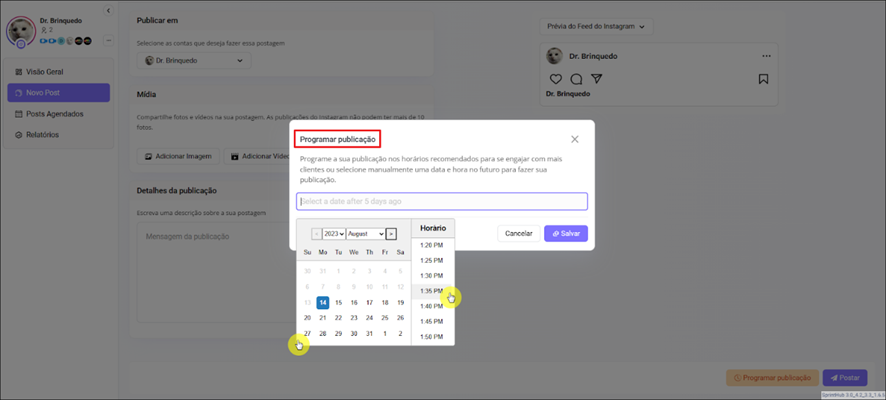
In the New Post tab, you have the option to **Schedule** your posts for whenever you want, selecting the day and time. This way, you can take advantage of the hours of highest engagement, or a specific day.
After clicking Schedule Publication, just set the **date** and the **time** you prefer;
Or, publish your post normally. You can add photos or videos, and write a caption for your post.
In your posts, you can interact with your followers, **replying** to comments and **liking**.
**See similar articles:**
{% content-ref url="/pages/1aea4a209b435eed0c82dd202328dda146d5cec5" %}
[Social Manager](/en/topics/attract/social-manager.md)
{% endcontent-ref %}