> For the complete documentation index, see [llms.txt](https://docs.sprinthub.com/llms.txt). Markdown versions of documentation pages are available by appending `.md` to page URLs; this page is available as [Markdown](https://docs.sprinthub.com/en/topics/attract/social-manager/social-manager-report.md).
# Social Manager - Report
### Diving into the numbers
SprintHub Social Manager reports provide a detailed view of campaign performance on social media. With metrics such as reach, impressions, and interactions, users can quickly understand the impact of their strategies.
### How do I view these reports?
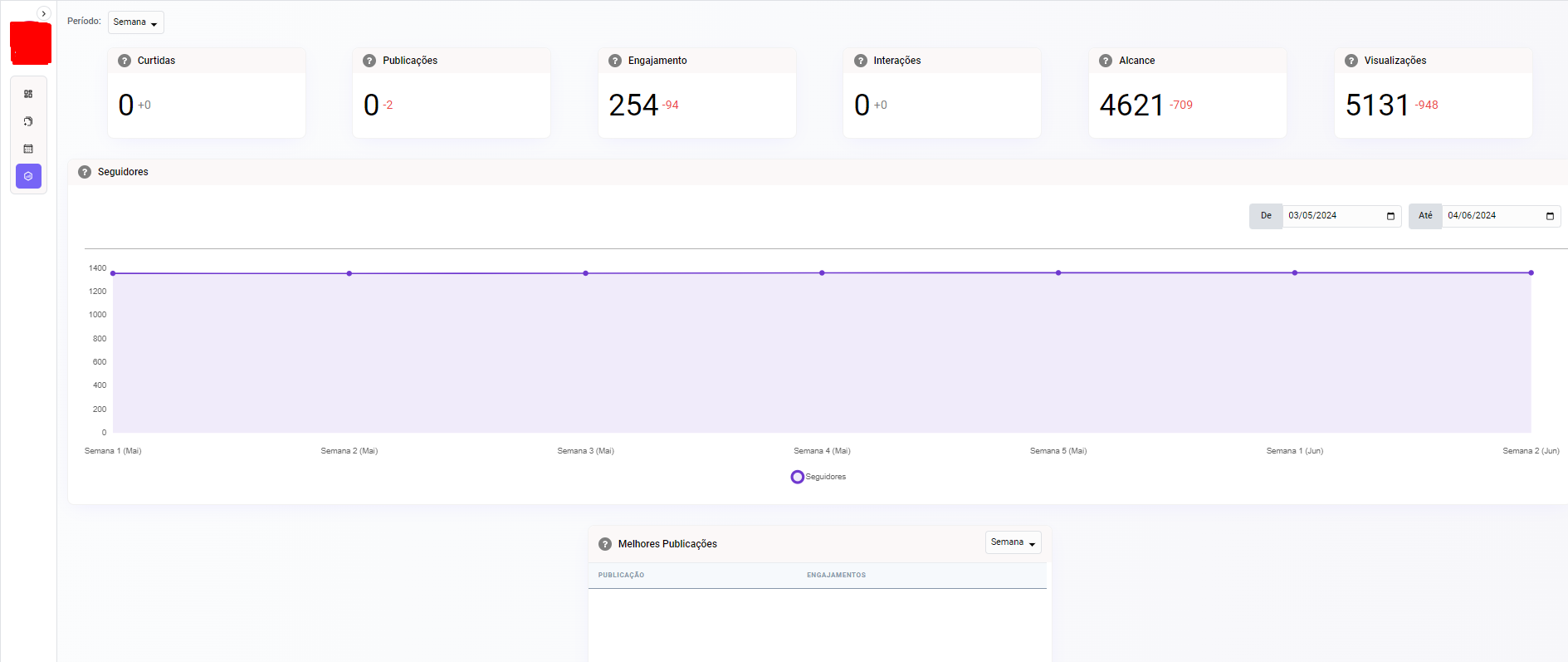
When accessing Social Manager, go to the reports section, right on the left side.
The page's statistical information then appears, where you can check the information on:
1. Followers
2. Posts
3. Engagement
4. Interactions
5. Reach
6. Views
7. Number of followers gained, shown in a chart.
8. Best posts, Reels and Stories
9. Gender, age range, city, and country chart
And of course, you can do this for several Meta pages, with a report for each one.
### Conclusion
In a world where attention is a valuable resource, SprintHub Social Manager reports empower brands to stand out on social media. With actionable insights and a personalized approach, these reports become not just a tool, but an ally within Social Manager.