> For the complete documentation index, see [llms.txt](https://docs.sprinthub.com/llms.txt). Markdown versions of documentation pages are available by appending `.md` to page URLs; this page is available as [Markdown](https://docs.sprinthub.com/en/topics/artificial-intelligence/ai-agents/legacy-ai-agents-notice/strategies/chatgpt-how-to-configure-chatgpt-to-reply-to-the-leads-first-message-in-sprinthub.md).
# ChatGPT - How to Configure ChatGPT to Reply to the Lead's First Message in SprintHub
I**ntroduction:**\
The integration of ChatGPT into your SprintHub platform can be a powerful tool for engaging leads right from the first contact. In this article, we'll guide you through the setup process so that ChatGPT is ready to respond automatically to the lead's first message, using SprintHub's visual interface.
**Step 1: Creating the Automation Flow**\
The first step is to access SprintHub's Chatbot builder.
Start by creating a new flow and name it according to your marketing strategy. For example, you can name it "ChatGPT Automatic Response." Then access the builder..
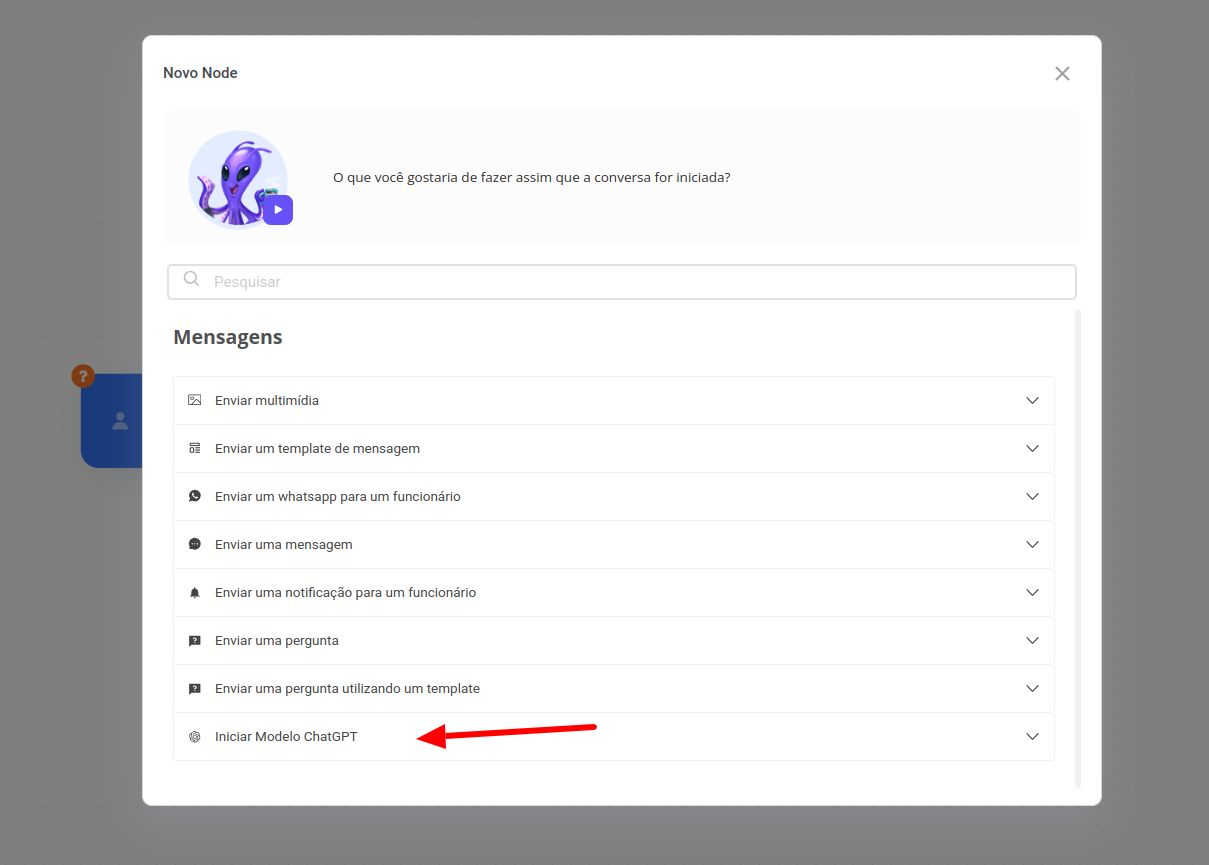
**Step 2: Configuring the "Start ChatGPT Model" Block**\
In the "Start ChatGPT Model" block, you will need to choose the model you want to use. Select "SprintHubGPT - 4o-mini" from the model drop-down menu. This is the model optimized for fast and effective responses.
Adjust the "Idle time" to 10 minutes. This field defines the time that ChatGPT will wait for a new message before ending the conversation. In the context of leads, this time is ideal to ensure that the interaction remains active, but without keeping the chatbot waiting indefinitely.