> For the complete documentation index, see [llms.txt](https://docs.sprinthub.com/llms.txt). Markdown versions of documentation pages are available by appending `.md` to page URLs; this page is available as [Markdown](https://docs.sprinthub.com/en/topics/analyze/integrated-webhooks/integrated-webhooks-common-questions/integrated-webhooks-error-when-sending-webhook-possible-causes.md).
# Integrated Webhooks - Error when sending webhook - possible causes
#### How do you check if your webhook is not working?
For each call, a system report is generated and turned into a chart. See the screenshots below.
If these charts show no activity, it means the webhook was never called and therefore some information is missing.
**Possible Errors Related to the Webhook:**
During the configuration and use of webhooks, several errors related to the alias and secret key may occur:
**Incorrect Alias**: If you changed the configured alias and did not update it in the platform you want to connect to, it is causing a communication error. It is necessary to check whether the Alias or the link is correct on the external platform (form, landing page, etc.).
**Invalid Secret Key**: An incorrect or outdated secret key can result in events being rejected by the destination system. This can cause failures in delivering important events and in synchronization between systems.
**Secret Key Exposure**: If the secret key is exposed, whether by accidental sharing or a data leak, unauthorized third parties may send forged or malicious events, compromising the integrity of the system.
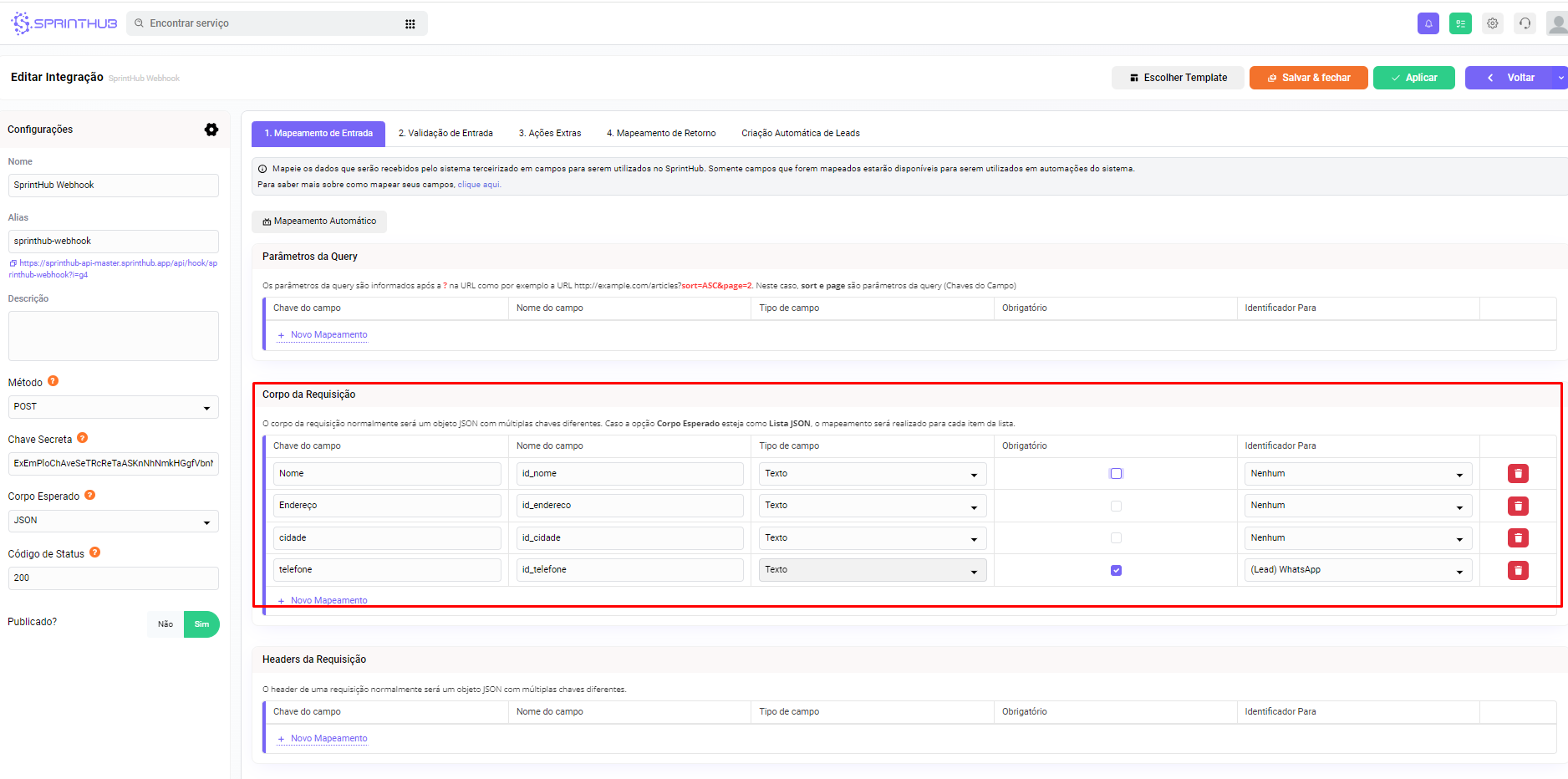
**Fields configured incorrectly**: if you are requesting fields that do not exist in your integrated webhook, it will return an error because there are no fields to fill in.
**3. Resolving the Errors:**
Here are some measures to resolve these errors and ensure the proper functioning of webhooks:
* **Regular Alias Check**: Regularly check whether the configured alias matches what the destination system expects. This can be done through the integration settings screen, where you can view and modify the alias as needed.
* **Secret Key Update**: Make sure the secret key is up to date and matches the one configured in the destination system. If necessary, update the secret key in the integration settings screen to ensure proper event authentication.
* **Secret Key Security**: Keep the secret key secure and avoid exposing it unnecessarily. Limit access to the key and follow recommended security practices to protect the integrity of the system.
* **Field Mapping Review**: Check the field mapping in the webhook and in the destination system. Make sure the requested fields match the data available at the source and that the mapping is configured correctly.
---
# Agent Instructions
This documentation is published with GitBook. GitBook is the documentation platform designed so that both humans and AI agents can read, navigate, and reason over technical content effectively. Learn more at gitbook.com.
## Querying This Documentation
If you need additional information that is not directly available in this page, you can query the documentation dynamically by asking a question.
Perform an HTTP GET request on the current page URL with the `ask` query parameter, and the optional `goal` query parameter:
```
GET https://docs.sprinthub.com/en/topics/analyze/integrated-webhooks/integrated-webhooks-common-questions/integrated-webhooks-error-when-sending-webhook-possible-causes.md?ask=&goal=
```
`ask` is the immediate question: it should be specific, self-contained, and written in natural language.
`goal` is optional and describes the broader end goal you are ultimately trying to accomplish on behalf of the user. GitBook uses it to tailor the answer towards what is most useful for that goal.
The response will contain a direct answer to the question and relevant excerpts and sources from the documentation.
Use this mechanism when the answer is not explicitly present in the current page, you need clarification or additional context, or you want to retrieve related documentation sections.