> For the complete documentation index, see [llms.txt](https://docs.sprinthub.com/llms.txt). Markdown versions of documentation pages are available by appending `.md` to page URLs; this page is available as [Markdown](https://docs.sprinthub.com/en/common-questions/automation-reports/automation-report-how-to-view-campaign-and-tracking-reports-and-results.md).
# Automation report - How to view campaign and tracking reports and results
In SprintHub, you can track your recent activities in several tabs, such as emails and landing pages. This ensures that you are always updated on all changes made.
To view your recent activities, simply open the desired tab (such as the Email or Landing Page tab), and then on the left you will find the information. You can also view the versions that were edited, in case you need to know which version your lead accessed, or want to see some specific detail.
### Landing Page
In the landing page, it is possible to view the page's results in terms of visits and also check who modified the landing page:
### Emails
In the email marketing reports area, you can see the number of emails that were sent, whether they failed, whether they are in the queue, etc. The most important part is the test sending section, where you can see whether SMTP is working correctly:
At the same time, you can see recent activities, who modified the email marketing, etc.
### Tracked File and URL Shortener
In the tracked file reports, you can see leads who accessed the file, both those who are already registered and anonymous ones. It is also where you obtain the tracked link. Both reports follow the same structure.
Tracked file
URL shortener
### Forms
In forms, there are the Installation and Results options:
#### Results
Where you can see which leads filled out the form, and view the fields that were filled in
You can access the lead directly by clicking the ID:
Installation
There is also the option to perform the installation for an external site through the scripts:
### Chatbot
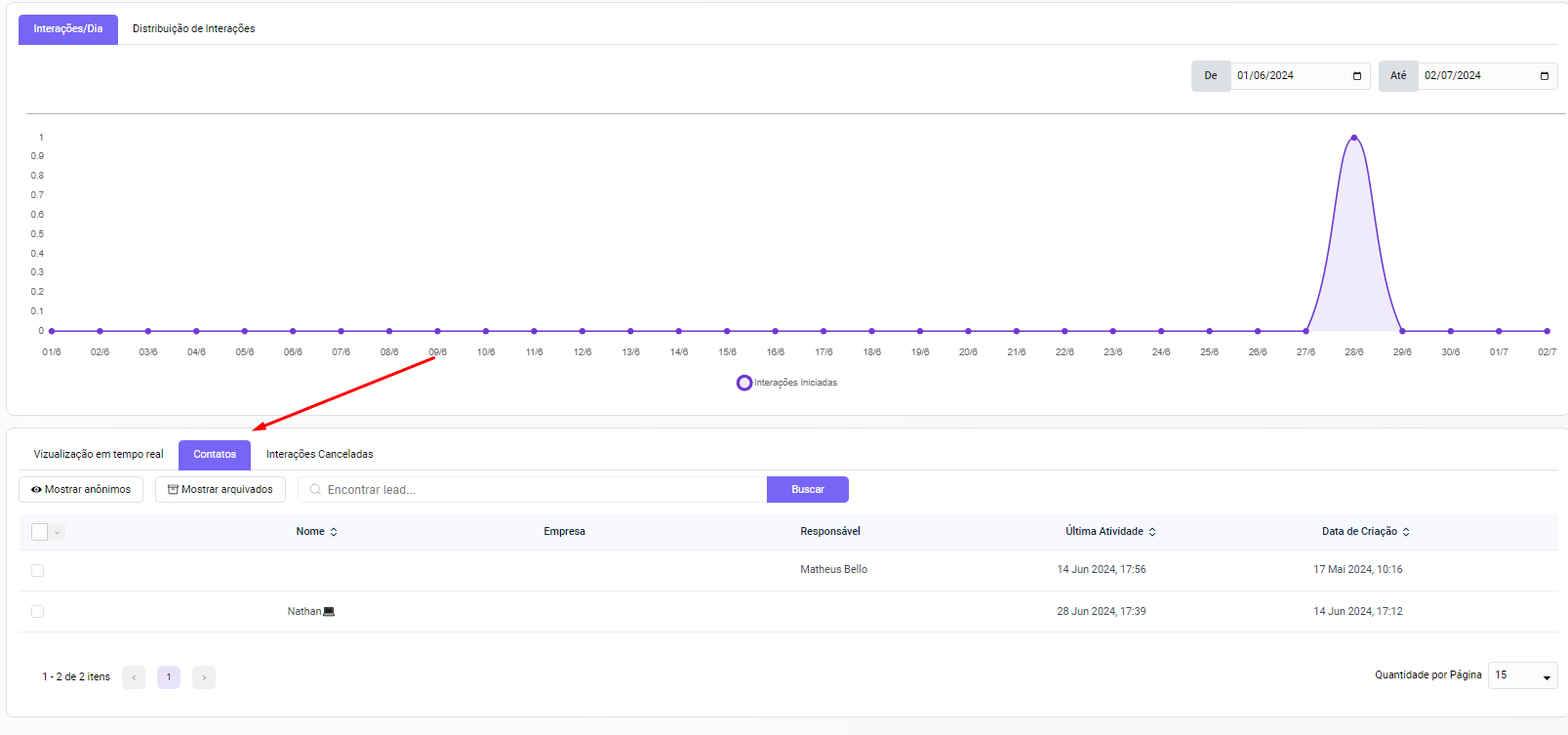
In the chatbot, there is interaction analysis, how many people interacted with the bot, and whether the leads stopped at any part of the chatbot or not.
In contacts, it shows the leads that interacted with the chatbot:
And lastly, there is a way to view interactions that were canceled, due to some error or stopped manually.
---
# Agent Instructions
This documentation is published with GitBook. GitBook is the documentation platform designed so that both humans and AI agents can read, navigate, and reason over technical content effectively. Learn more at gitbook.com.
## Querying This Documentation
If you need additional information that is not directly available in this page, you can query the documentation dynamically by asking a question.
Perform an HTTP GET request on the current page URL with the `ask` query parameter, and the optional `goal` query parameter:
```
GET https://docs.sprinthub.com/en/common-questions/automation-reports/automation-report-how-to-view-campaign-and-tracking-reports-and-results.md?ask=&goal=
```
`ask` is the immediate question: it should be specific, self-contained, and written in natural language.
`goal` is optional and describes the broader end goal you are ultimately trying to accomplish on behalf of the user. GitBook uses it to tailor the answer towards what is most useful for that goal.
The response will contain a direct answer to the question and relevant excerpts and sources from the documentation.
Use this mechanism when the answer is not explicitly present in the current page, you need clarification or additional context, or you want to retrieve related documentation sections.